
The short answer
- You paste things from the last few minutes: use your keyboard’s clipboard panel. No extra app needed.
- You reuse the same text for days or weeks (addresses, replies, templates, AI prompts, reference notes): use a clipboard app that keeps saved clips until you delete them and lets you search them.
- You also work on a Mac or Windows PC: choose an app that can sync saved clips across devices.
If you want a feature-by-feature checklist for evaluating apps, our Android clipboard manager checklist covers that. This article focuses on the step before it: which type of tool fits how you copy and paste.
The three kinds of Android clipboard tools
| Type | Examples | Good at | Trade-offs |
|---|---|---|---|
| Keyboard clipboard panel | Gboard, Samsung Keyboard | Pasting recent copies without leaving the keyboard; pinning a few items | Short retention (Gboard: unpinned items about one hour); limited search; tied to that keyboard |
| Keyboard-replacement clipboard apps | Apps that ask you to set them as your default keyboard | Capturing copies while you type, because the default keyboard is allowed to read the clipboard | You must switch away from the keyboard you like; everything typed goes through that app |
| Saved-clip apps (like Clipboard) | Apps where you create or save the clips you want to keep | A durable, searchable list; folders, backup, and cross-device sync | You choose what to save instead of logging every copy automatically |
Why “records everything you copy” is harder on Android now
Older Android clipboard managers could run quietly in the background and log every copy. That changed with Android 10. Google’s Android 10 privacy changes limit clipboard reads: unless an app is the default input method (keyboard) or the app currently in focus, it cannot read clipboard data. Android 12 added a toast when an app reads the clipboard, and Android 13 and later show a copy preview and clear the clipboard automatically after a period.
For you, that means an app claiming to capture every copy in the background is usually either your keyboard, relies on workarounds such as accessibility access, or simply cannot do it reliably on current phones. Read reviews for “stopped saving” complaints before you commit, and be cautious with any app that asks for broad accessibility permissions just to manage text.
When your keyboard’s clipboard is enough
Gboard and Samsung Keyboard both keep a short list of recent copies in a panel above the keys. That covers a lot of everyday use: copy a code, switch apps, paste. Turn the panel on, pin anything you need again today, and you may never need more. For step-by-step locations, see how to see paste history on Android.
The limits show up when time passes. Google’s Gboard help says unpinned items are deleted after about one hour, and Samsung’s list rolls off older items as you copy more. Neither panel is meant to be an archive you search next month, and neither follows you to a computer. If expiring clips are your main frustration, our guide to stopping Gboard from deleting clipboard history explains your options.
When a dedicated clipboard app is worth it
A dedicated app pays off once you reuse text regularly. Typical signs:
- You retype the same addresses, replies, or snippets every week.
- You keep useful text scattered across notes, chats, and screenshots.
- You lose clips when the keyboard panel expires or you switch phones.
- You need the same text on your phone and on a Mac or Windows PC.
For these, you want saved clips that stay until you delete them, search, and optionally sync. Whether the app logs every copy matters less than whether the things you care about are reliably there when you look.
How Clipboard fits
Clipboard is a saved-clip app. It works alongside the keyboard you already use, so you do not have to replace Gboard or Samsung Keyboard. You keep text and image clips in a searchable list that stays until you delete it.
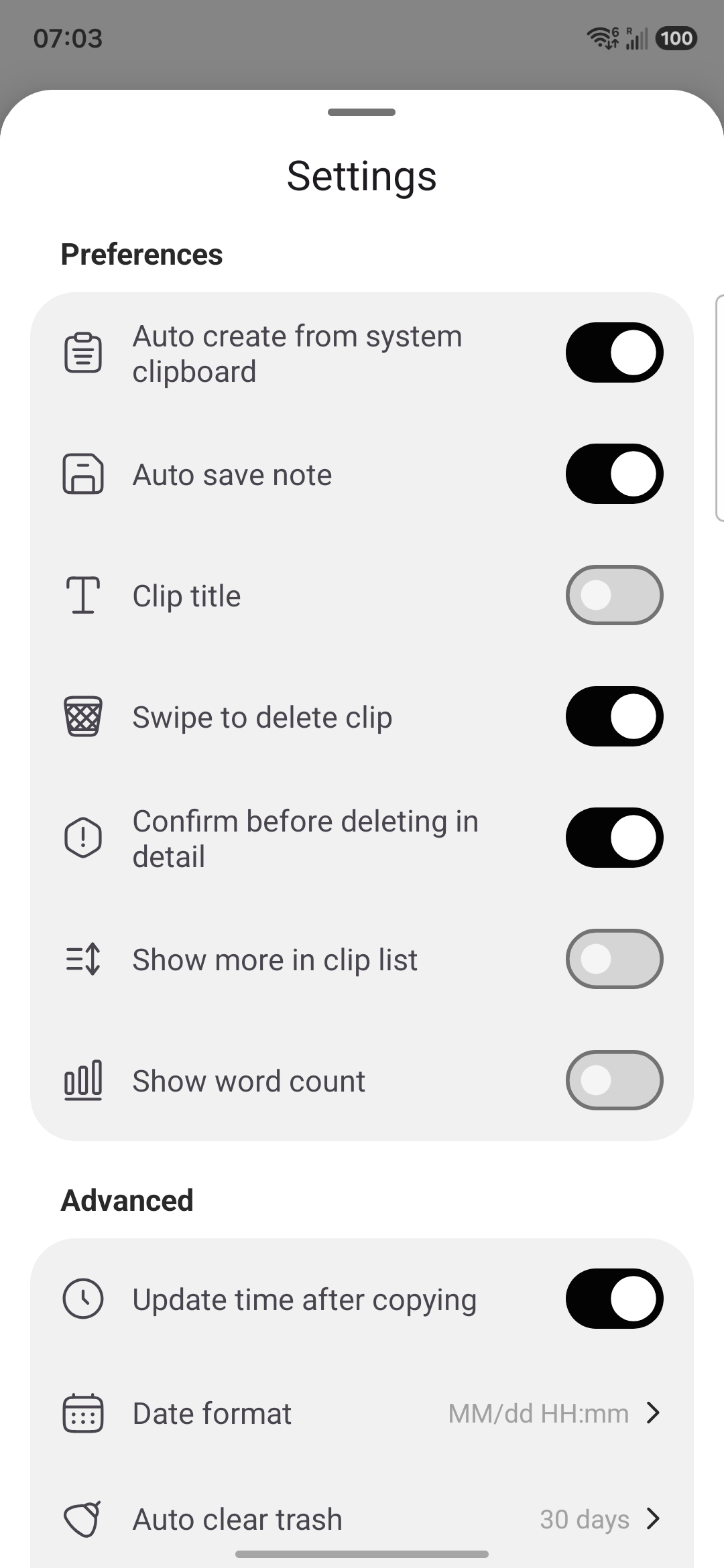
How it actually works: copying text in another app does not automatically add it to Clipboard’s history, and it does not sync by itself. Items enter Clipboard’s history only when you create or save them inside the Clipboard app. The list is intentional—it holds what you chose to keep—which also keeps passwords and one-time codes out of it unless you add them yourself.
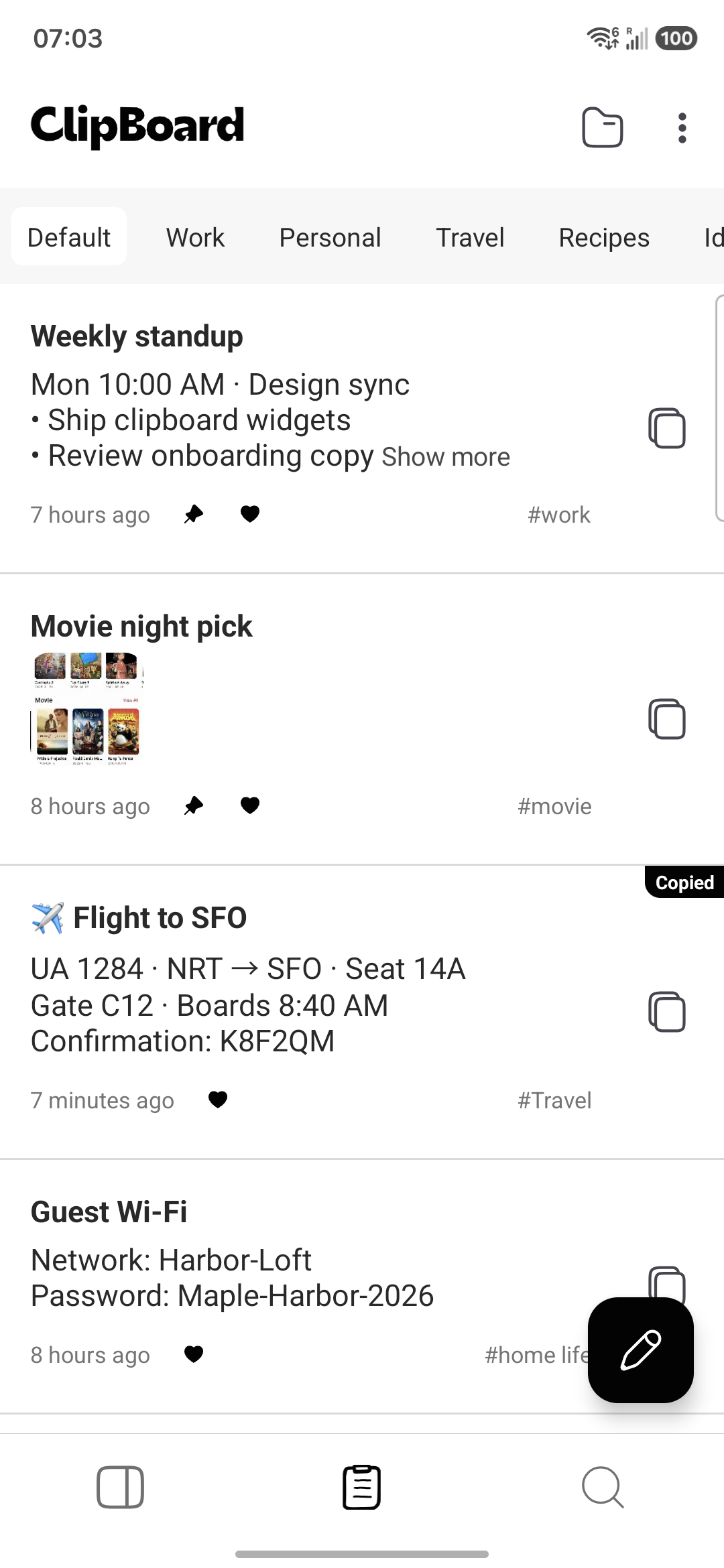
The free app keeps local history without ads. Clipboard Pro adds sync of saved clips across Android, Mac, and Windows (on Windows through the Web app), plus folder backup and restore. Sync applies only to clips created or saved in Clipboard. If you need text from the screen rather than from a text field, Clipboard can also copy text on screen with OCR and save the result as a clip.
A 2-minute way to choose
- Check how far back you usually need clips. Minutes: your keyboard panel. Days or longer: a saved-clip app.
- Decide whether you want to keep your current keyboard. If yes, skip apps that require becoming your default keyboard.
- Check the permissions an app asks for. Broad accessibility access for a clipboard tool deserves a second look.
- Check whether you need your clips on a Mac or Windows PC. If so, confirm the app supports sync on those platforms.
- Save five clips you actually reuse, search for one, and see whether the app fits your routine.
Whatever you pick, keep passwords and recovery codes in a password manager, not a clipboard list. If you copied one, here is how to clear the clipboard on Android.
Frequently asked questions
What is the best clipboard app for Android?
It depends on what you need. If you only want to paste something from the last few minutes, your keyboard’s clipboard panel (Gboard or Samsung Keyboard) is enough. If you want a searchable list that does not expire, plus access on other devices, a dedicated clipboard app that keeps saved clips until you delete them is the better fit.
Is Gboard’s clipboard good enough?
For short-term recall, yes. Google’s Gboard help says unpinned clipboard items are deleted after about one hour, and pinned items stay until you remove them. It is not designed as a long-term, searchable archive or a way to reach clips on a computer.
Why can’t some clipboard apps record everything I copy anymore?
Since Android 10, apps can read the clipboard only when they are the default keyboard (input method) or the app currently in focus. A regular app running in the background cannot silently watch every copy, so apps that promise automatic capture usually rely on being your keyboard or on workarounds.
Do I need to change my keyboard to use a clipboard app?
Not with every app. Keyboard-based clipboards require switching keyboards. Clipboard works alongside the keyboard you already use: you create or save clips inside the Clipboard app and paste them wherever you need.
Does Clipboard automatically save what I copy in other apps?
No. Copying text in another app does not automatically add it to Clipboard’s history, and it does not sync by itself. Items enter Clipboard’s history—and Pro sync—only when you create or save them inside the Clipboard app.
Is a free clipboard app enough?
For local history on one phone, often yes. Clipboard’s free app keeps local history without ads. Pro adds sync of saved clips across Android, Mac, and Windows (Windows through the Web app), plus folder backup and restore.
Related articles
Keep the clips you reuse
Keep using your favorite keyboard. Save the text you need again in Clipboard and search it anytime.