
What the ad complaints tell you
The supplied Google Play US snapshot checked in October 2026 lists Universal Copy (com.camel.corp.universalcopy) at 12M+ installs and 4.27★, with ads. Paste Keyboard (com.appmazing.autopastekey) has 373K+ installs and contains ads; AutoPaste (com.takeofflabs.autopaste) has 369K+ installs.
In the supplied competitor review analysis, complaints about 30–60 second video ads during hurried copying account for 14.1% of negative reviews. Other recurring 1–3★ complaints include repeated subscription pop-ups, persistent notification disconnects, and switching away from a main keyboard just to paste. These are reports from a negative-review sample, not experiences shared by every user or a measurement of every app individually.
Four practical options for copying and pasting
| Option | Best fit | Ads and limits |
|---|---|---|
| Clipboard by The 1 Studio | Free on-device ML Kit screen OCR and saved history alongside your current keyboard | Google Play No Ads; Pro needed for Mac/Web sync and folder backups |
| Android selection & Google Lens | Built-in selection; Lens for one-off image OCR | No ads in the copying workflow; availability varies by device; no saved clipboard history collection |
| Universal Copy | Interface-tree reader plus OCR when normal selection fails | Ad-supported with in-app purchases; permissions and mode affect results |
| Paste Keyboard / AutoPaste | Replacement keyboards for rapid template pasting | Paste Keyboard contains ads; review pricing and prompts for each app; requires changing keyboard |
Use selection or Lens for a one-off copy
Touch and hold selectable text, adjust the handles, and tap Copy. For words inside an image, try Google Lens through your phone’s available image tools. Google’s Photos Lens guide explains image text copying. System selection is built in; Lens availability depends on your device and installed Google apps.
These are useful routes for one address or reference number. They do not create a searchable saved history of every copy. Review OCR against the image before pasting, especially names and numbers.
Use Clipboard OCR without changing keyboards
Clipboard works alongside your existing keyboard. Its free Recognize screen Quick Settings tile and floating shortcut use on-device ML Kit to read visible, unselectable text. Recognition can work offline after required models are available; initial model availability may require a connection.
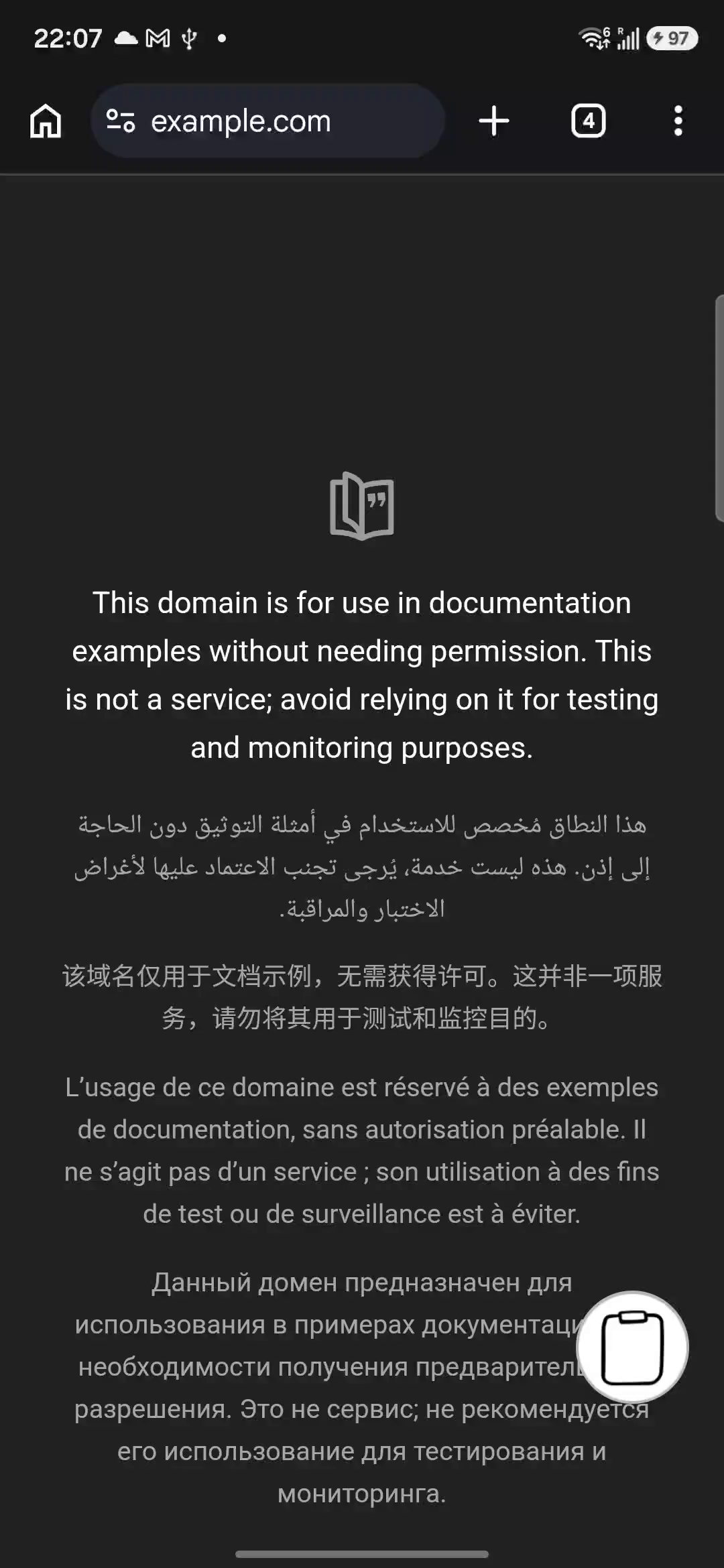
- Show the passage clearly and open Recognize screen from the tile or enabled floating shortcut.
- Read and approve Android’s screen sharing prompt for the content you intend to capture.
- Review the recognized text. Remove unrelated interface labels and correct errors.
- Choose Copy and save to paste now and keep a clip, or Save only to keep it without replacing the current system clipboard.
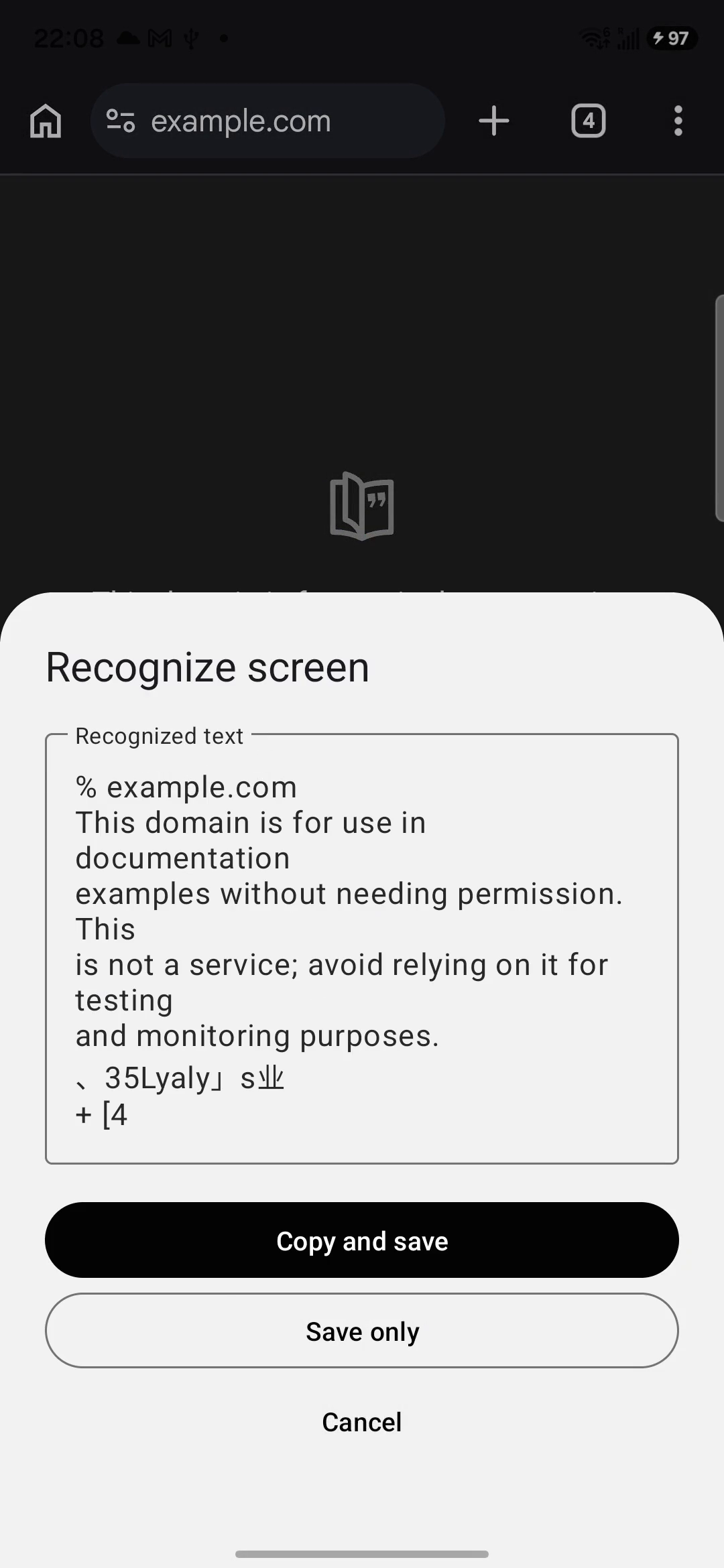
See the full Android screen text guide for the permission and preview flow. A capture reads what is visible, not the whole scrolling document, and protected screens may block capture.
When Universal Copy or a paste keyboard still fits
Universal Copy’s interface-tree reader and OCR solve related but different problems. Reading exposed interface text can preserve characters that OCR might misread; text drawn into an image needs recognition instead. Compare the supported mode and permission explanation with your actual source app.
A Paste Keyboard alternative should also match how you paste. If you insert the same short templates repeatedly, a replacement keyboard may suit you. If keeping your usual typing layout matters more, a separate saved clip list can avoid that keyboard switch. Clipboard does not promise automated repeated pasting.
What is free, and when do you need Pro?
Clipboard's free tier saves local text and image clips and includes on-device screen OCR. Create or save clips inside Clipboard and check the list. Copying in another app does not automatically sync content or guarantee background capture.
Clipboard Pro adds cross-device sync across Android, macOS, and the Web app, plus folder backup and restore. A clip must be created or saved in Clipboard to trigger sync. There is no native Windows or iPhone app.
For a recoverable folder copy, use Settings → Backups → Export data / Import data with Pro. Export copies the SQLite database and images to a chosen folder. Keep the complete export outside a phone you plan to reset. Import overwrites current clips; it does not merge collections. Preserve destination clips first and verify restored text and images before erasing the old phone.
Frequently asked questions
What is an ad-free Universal Copy alternative?
For visible text you want to save, Clipboard offers free on-device screen OCR without ads. For a one-off image, Android selection or Google Lens may be enough. OCR differs from Universal Copy’s interface-tree reading and can make recognition errors.
Do I need to replace my keyboard to use Clipboard?
No. Clipboard works alongside your existing keyboard. Save or recognize text in Clipboard, copy it, then paste into the destination using your usual keyboard.
Can I copy text on screen on Android without ads?
Try built-in selection first, then Google Lens for image text or Clipboard’s Recognize screen tile or floating shortcut. Clipboard’s screen OCR is free and uses on-device ML Kit.
Is Clipboard a Paste Keyboard alternative?
It can suit saved snippets and screen text while keeping your main keyboard. Paste Keyboard and AutoPaste focus on rapid template pasting through a replacement keyboard, so compare the actual number of steps in your routine.
Does screen OCR work offline?
Clipboard recognition can work offline once the required ML Kit models are available. Initial model availability may need a connection. Review the text for errors; Pro sync separately needs a network connection.
Does copying recognized text automatically sync it?
Copying alone is not the trigger. Choose Copy and save or Save only to create a saved clip. Cross-device sync to Android, Mac, and Web requires Pro; local OCR and saving do not.
Related articles
Keep a saved history you can check
Create or save useful entries in Clipboard. Pro adds cross-device sync and folder backup/restore.